Salta al contenuto principale
Unisciti alla Community delle riparazioni - Crea un account

HTC One M8 Rear Case Replacement

Cosa ti serve

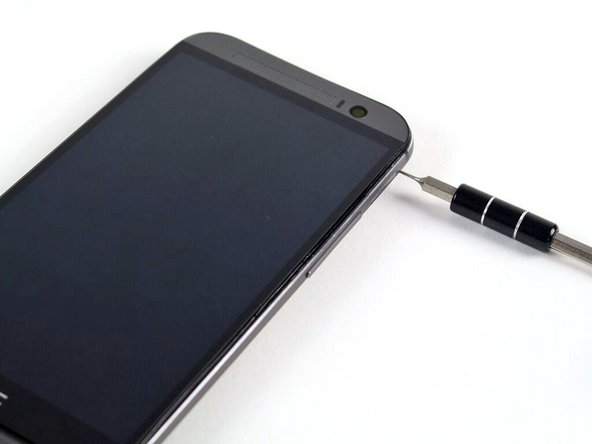
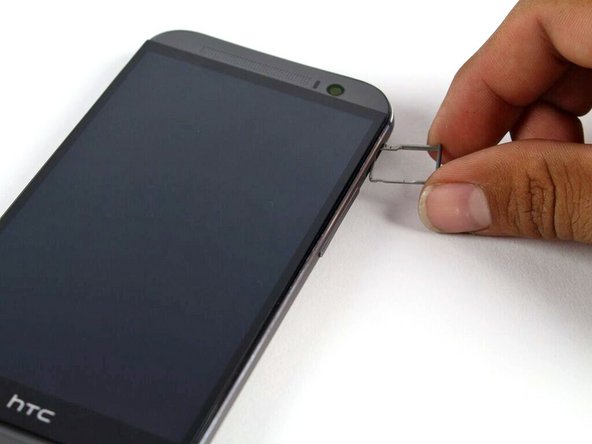
  1. HTC One M8 Rear Case Replacement, SIM Card: passo 1, immagine 1 di 2 HTC One M8 Rear Case Replacement, SIM Card: passo 1, immagine 2 di 2
    • Insert a SIM card eject tool or a paperclip into the small hole in the SIM card tray, located on the upper left hand side of the phone.

    • Press to eject the tray.

    • This may require a significant amount of force.

    Chiedi a FixBot
  2. HTC One M8 Rear Case Replacement: passo 2, immagine 1 di 1
    • Remove the SIM card tray assembly from the HTC One M8.

    • When reinserting the SIM card, ensure that it is in the proper orientation relative to the tray.

    Chiedi a FixBot
  3. HTC One M8 Rear Case Replacement, MicroSD Card: passo 3, immagine 1 di 2 HTC One M8 Rear Case Replacement, MicroSD Card: passo 3, immagine 2 di 2
    • Insert a SIM card eject tool or a paperclip into the small hole in the microSD card tray, located on the upper right hand side of the phone.

    • Press to eject the tray.

    • This may require a significant amount of force.

    Chiedi a FixBot
  4. HTC One M8 Rear Case Replacement: passo 4, immagine 1 di 1
    • Remove the microSD card tray assembly from the HTC One M8.

    • When reinserting the microSD card, ensure that it is in the proper orientation relative to the tray.

    Chiedi a FixBot
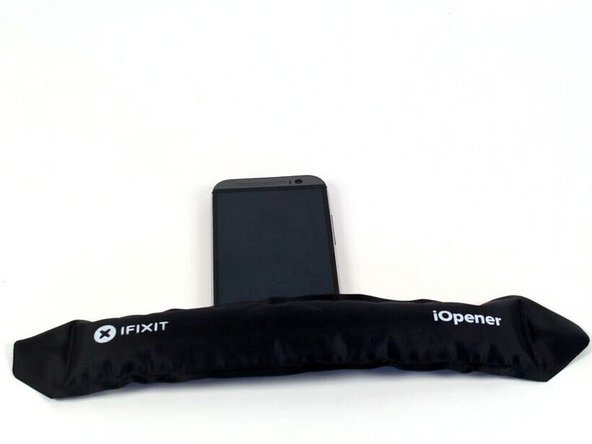
  5. HTC One M8 Rear Case Replacement, Rear Case: passo 5, immagine 1 di 2 HTC One M8 Rear Case Replacement, Rear Case: passo 5, immagine 2 di 2
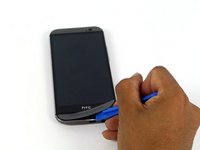
    • Use an iOpener or heat gun to loosen the adhesive on the upper and lower speaker grilles.

    • Refer to the iOpener guide for info on how to use the iOpener.

    Chiedi a FixBot
  6. HTC One M8 Rear Case Replacement: passo 6, immagine 1 di 3 HTC One M8 Rear Case Replacement: passo 6, immagine 2 di 3 HTC One M8 Rear Case Replacement: passo 6, immagine 3 di 3
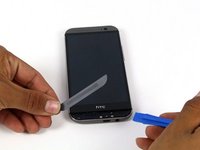
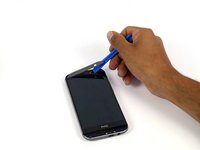
    • Use a plastic opening tool to gently peel up the lower speaker grille.

    • The adhesive is messy, and can be removed using Goo-gone.

    Chiedi a FixBot
  7. HTC One M8 Rear Case Replacement: passo 7, immagine 1 di 2 HTC One M8 Rear Case Replacement: passo 7, immagine 2 di 2
    • Use a plastic opening tool to gently peel up the upper speaker grille.

    Chiedi a FixBot
  8. HTC One M8 Rear Case Replacement: passo 8, immagine 1 di 1
    • Remove the two silver 3 mm Phillips #00 screws from the top.

    • Remove the four black 4 mm T5 Torx screws from the bottom.

    Chiedi a FixBot
  9. HTC One M8 Rear Case Replacement: passo 9, immagine 1 di 3 HTC One M8 Rear Case Replacement: passo 9, immagine 2 di 3 HTC One M8 Rear Case Replacement: passo 9, immagine 3 di 3
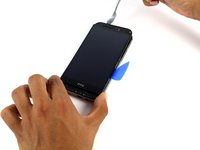
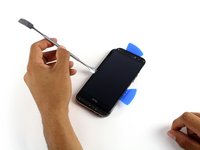
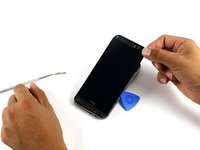
    • Work your way around the perimeter of the phone with a spudger and plastic opening picks to free the clips that secure the rear case to the display assembly.

    • A metal spudger is pictured, but it is best to use a nylon spudger to prevent marring the device.

    • Be careful not to lose the power button: it sits loosely in the top of the lower chassis.

    • Significant force may be required to pry the casing apart.

    Chiedi a FixBot
Conclusione

To reassemble your device, follow these instructions in reverse order.

Altre 12 persone hanno completato questa guida.

Team

Cal Poly, Team 5-9, Maness Spring 2015 Membro di Cal Poly, Team 5-9, Maness Spring 2015

CPSU-MANESS-S15S5G9

4 Membri

18 guide realizzate

0Commenti sulla guida

Aggiungi Commento

Visualizza statistiche:

Ultime 24 ore: 1

Ultimi 7 giorni: 8

Ultimi 30 giorni: 78

Tutti i Tempi: 7,401