Introduzione
If your RAM has failed or you need to add more memory to your HP IQ500 Series AIO PC, this is how you would do the upgrade.
Maximum supported memory: 4GB
Required memory: DDR2 (SODIMM)
Supported speeds:
- PC2-4200 (533MHz)
- PC2-5300 (667 MHz)
- PC2- 6400 (800MHz)
Note: While the system accepts PC2-5300, it is hard to find. If you find it, it tends to be rather expensive compared to PC2-6400. Your cheapest option for DDR2 is going to be PC2-6400.
Cosa ti serve
-
Attrezzo utilizzato in questo passaggio:Essential Electronics Toolkit$23.96
-
-
-
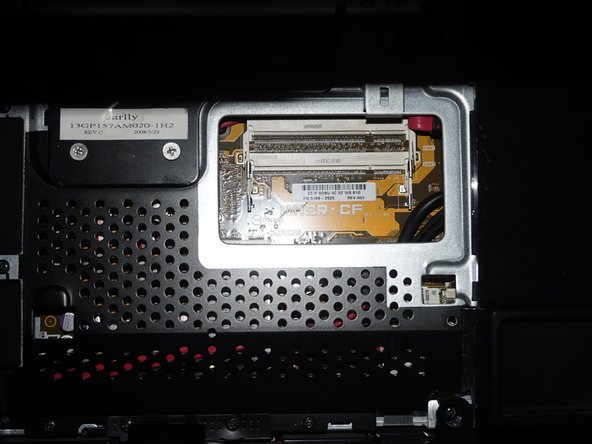
Unscrew the RAM door using a Phillips #1 screwdriver. Snap the RAM door off from the bottom and slide it off.
-
-
-
With the RAM exposed, remove the RAM from the slots on the system by pushing the tabs back. Once you do this the RAM will pop up and you can remove it.
-
Install the new RAM. Make sure you line the tab up on the memory with the slot in the system. It should only go in one way.
-




To reassemble your device, follow these instructions in reverse order.


