Introduzione
This guide will help you replace the optical drive, otherwise known as the CD drive. Be sure that no disks are within the drive before replacing the drive.
Cosa ti serve
-
-
Slide the two release latches on either side of the battery.
-
Gently tilt the battery upward and remove it from its socket.
 Chiedi a FixBot
-
-
-
Turn the computer so the bottom is facing towards you.
-
Remove the one 3.0 mm Phillips PM2.0x3.0 security screw.
-
Slide the release latches then pull the door towards you. Lift the door away to completely remove it.
-
-
-
-
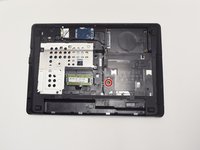
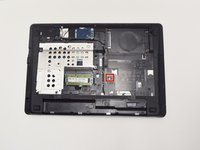
Remove one 6.0 mm Phillips PM2.5x6.0 screw that is securing the optical drive.
-
-
-
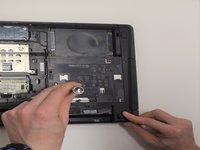
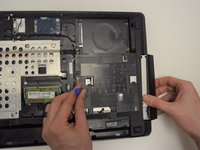
Press the optical drive tab to release the drive component.
-
Gently pull and remove the component from the computer.
-




To reassemble your device, follow these instructions in reverse order.
Annulla: non ho completato questa guida.
Altre 3 persone hanno completato questa guida.

Team

UW Tacoma, Team 1-5, Rose Fall 2016 Membro di UW Tacoma, Team 1-5, Rose Fall 2016
UWT-ROSE-F16S1G5
4 Membri
6 guide realizzate
