Salta al contenuto principale
Unisciti alla Community delle riparazioni - Crea un account

HP Mini 110-3735dx RAM Replacement

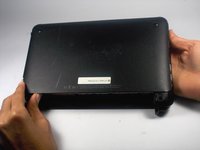
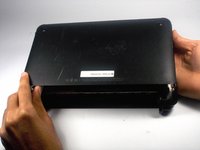
  1. HP Mini 110-3735dx RAM Replacement, Battery: passo 1, immagine 1 di 3 HP Mini 110-3735dx RAM Replacement, Battery: passo 1, immagine 2 di 3 HP Mini 110-3735dx RAM Replacement, Battery: passo 1, immagine 3 di 3
    • With the bottom of the HP Mini facing up, slide both switches inward towards each other.

    Chiedi a FixBot
  2. HP Mini 110-3735dx RAM Replacement: passo 2, immagine 1 di 2 HP Mini 110-3735dx RAM Replacement: passo 2, immagine 2 di 2
    • With the left switch still pushed inward, pull the battery towards you to remove it from the computer.

    Chiedi a FixBot
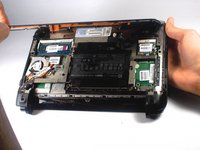
  3. HP Mini 110-3735dx RAM Replacement, Backcover: passo 3, immagine 1 di 3 HP Mini 110-3735dx RAM Replacement, Backcover: passo 3, immagine 2 di 3 HP Mini 110-3735dx RAM Replacement, Backcover: passo 3, immagine 3 di 3
    • Pull upward from under the back cover via the missing battery area.

    • Best to start from one of the corners.

    Chiedi a FixBot
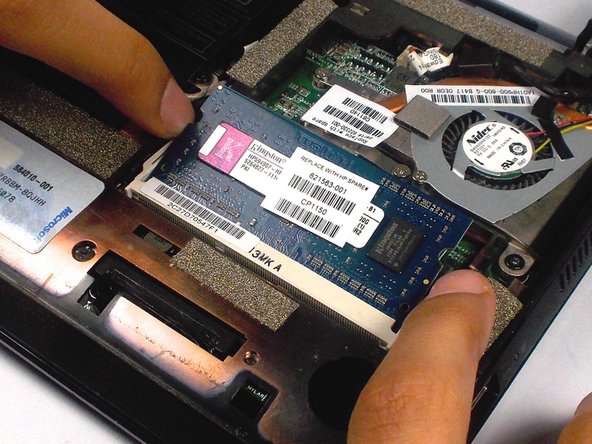
  4. HP Mini 110-3735dx RAM Replacement, RAM: passo 4, immagine 1 di 2 HP Mini 110-3735dx RAM Replacement, RAM: passo 4, immagine 2 di 2
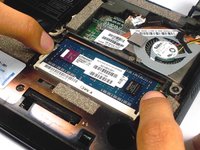
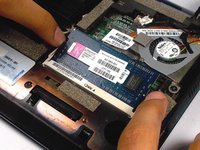
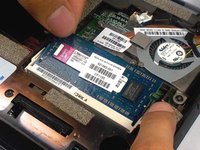
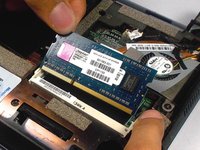
    • Push the two white holders holding the RAM outward until it points upwards at about a 45 degree angle.

    Chiedi a FixBot
  5. HP Mini 110-3735dx RAM Replacement: passo 5, immagine 1 di 2 HP Mini 110-3735dx RAM Replacement: passo 5, immagine 2 di 2
    • Gently pull the RAM from it's socket.

    Chiedi a FixBot
Conclusione

To reassemble your device, follow these instructions in reverse order.

Altre 3 persone hanno completato questa guida.

1Commento della guida

Thank you! It was easy!

zeppo1207 - Rispondi Condividi

Aggiungi Commento

Visualizza statistiche:

Ultime 24 ore: 0

Ultimi 7 giorni: 7

Ultimi 30 giorni: 51

Tutti i Tempi: 1,163