Salta al contenuto principale

HP EliteBook 850 G7 SSD Replacement

  1. HP EliteBook 850 G7 SSD Replacement, SSD: passo 1, immagine 1 di 2 HP EliteBook 850 G7 SSD Replacement, SSD: passo 1, immagine 2 di 2
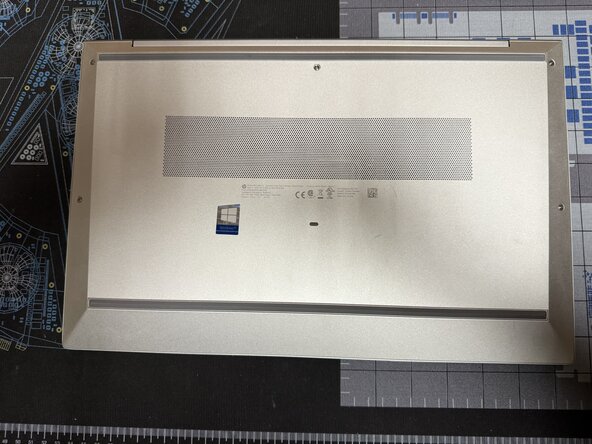
    • To start flip the device so the bottom is facing up

  2. HP EliteBook 850 G7 SSD Replacement: passo 2, immagine 1 di 2 HP EliteBook 850 G7 SSD Replacement: passo 2, immagine 2 di 2
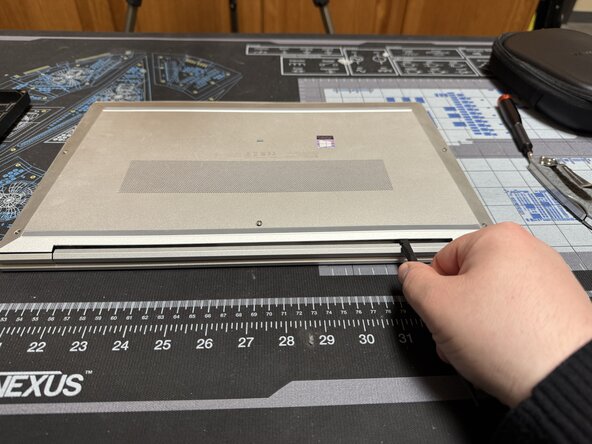
    • Unscrew the 5 marked captive screws with a Phillips #1 and flip the device so the hinge is faced towards you

    • Slide a spudger under the shell to pop the clips and run it around the perimeter of the shell until you can remove it.

  3. HP EliteBook 850 G7 SSD Replacement: passo 3, immagine 1 di 2 HP EliteBook 850 G7 SSD Replacement: passo 3, immagine 2 di 2
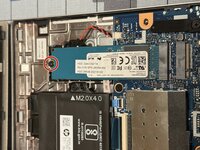
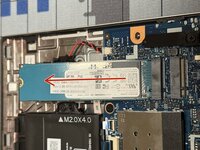
    • Unscrew the marked screw

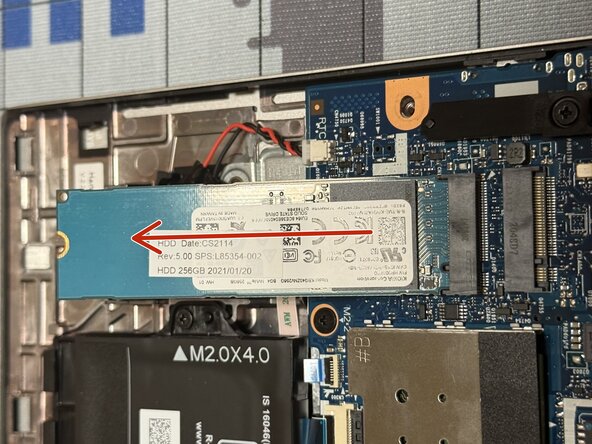
    • Pull the SSD out in the marked direction

    • It can be replaced with most NVME 2280 SSDs

Conclusione

To reassemble your device, follow these instructions in reverse order.

Caleb Pierce

Membro da: 04/19/22

1.121 Reputazione

8 Guide realizzate

0Commenti sulla guida

Aggiungi Commento

Visualizza Statistiche:

Ultime 24 Ore: 0

Ultimi 7 Giorni: 1

Ultimi 30 Giorni: 26

Tutti i Tempi: 244
