Salta al contenuto principale

Gateway MS2370 Keyboard Replacement

Cosa ti serve

  1. Gateway MS2370 Keyboard Replacement, Battery: passo 1, immagine 1 di 1
    • Make sure the laptop is turned off and flipped over so that the bottom is facing up. Then, locate the battery clip as shown.

  2. Gateway MS2370 Keyboard Replacement: passo 2, immagine 1 di 1
    • Either using your fingers or a plastic spudger push the battery clip to the left to release battery.

  3. Gateway MS2370 Keyboard Replacement: passo 3, immagine 1 di 1
    • Pull the battery from the laptop to remove it.

  4. Gateway MS2370 Keyboard Replacement, Keyboard: passo 4, immagine 1 di 1
    • Take the plastic spudger and pull up the tabs on all four sides of the keyboard molding.

  5. Gateway MS2370 Keyboard Replacement: passo 5, immagine 1 di 1
    • Carefully lift the keyboard molding out.

  6. Gateway MS2370 Keyboard Replacement: passo 6, immagine 1 di 1
    • Use the plastic spudger again to pry the keyboard tabs from the laptop.

  7. Gateway MS2370 Keyboard Replacement: passo 7, immagine 1 di 1
    • Slowly lift the keyboard from the laptop.

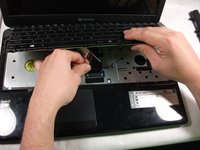
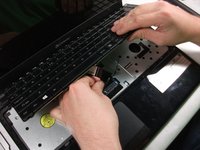
  8. Gateway MS2370 Keyboard Replacement: passo 8, immagine 1 di 2 Gateway MS2370 Keyboard Replacement: passo 8, immagine 2 di 2
    • Carefully unplug the ribbon cable attached to the motherboard.

    • The ribbon cable is extremely delicate, handle with care

  9. Gateway MS2370 Keyboard Replacement: passo 9, immagine 1 di 1
    • Lift and remove the keyboard from the computer.

Conclusione

To reassemble your device, follow these instructions in reverse order.

Un'altra persona ha completato questa guida.

0Commenti sulla guida

Aggiungi Commento

Visualizza Statistiche:

Ultime 24 Ore: 0

Ultimi 7 Giorni: 0

Ultimi 30 Giorni: 4

Tutti i Tempi: 1,009