Salta al contenuto principale
Unisciti alla Community delle riparazioni - Crea un account

Fujitsu LifeBook N3510 Hard Drive Replacement

Cosa ti serve

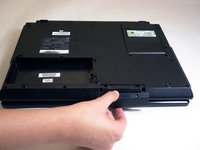
  1. Fujitsu LifeBook N3510 Hard Drive Replacement, Battery: passo 1, immagine 1 di 1
    • Locate the two clips on the bottom of the computer that support the battery.

    Chiedi a FixBot
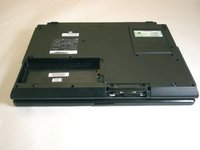
  2. Fujitsu LifeBook N3510 Hard Drive Replacement: passo 2, immagine 1 di 1
    • Using your fingers, push the clips inward and then upward.

    • Lift the battery out of the computer.

    Chiedi a FixBot
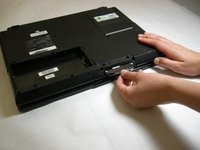
  3. Fujitsu LifeBook N3510 Hard Drive Replacement, Hard Drive: passo 3, immagine 1 di 1
    • Remove the two screws securing the hard drive access cover.

    • Screws not shown in picture.

    Chiedi a FixBot
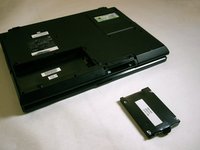
  4. Fujitsu LifeBook N3510 Hard Drive Replacement: passo 4, immagine 1 di 2 Fujitsu LifeBook N3510 Hard Drive Replacement: passo 4, immagine 2 di 2
    • Remove hard drive access cover.

    Chiedi a FixBot
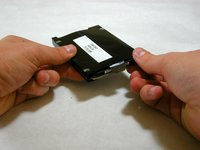
  5. Fujitsu LifeBook N3510 Hard Drive Replacement: passo 5, immagine 1 di 2 Fujitsu LifeBook N3510 Hard Drive Replacement: passo 5, immagine 2 di 2
    • Grasp hard drive sleeve tab and pull out.

    Chiedi a FixBot
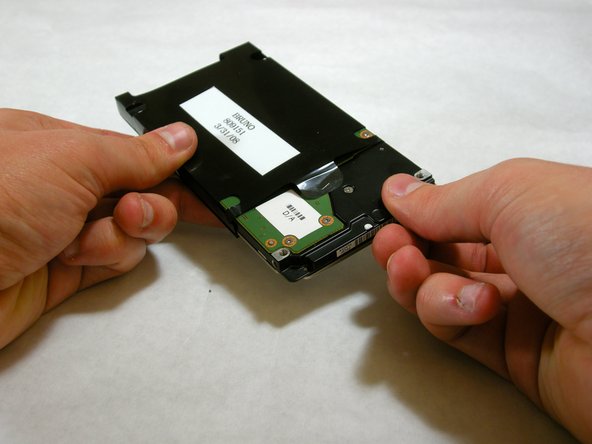
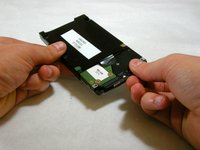
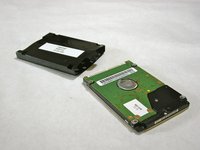
  6. Fujitsu LifeBook N3510 Hard Drive Replacement: passo 6, immagine 1 di 3 Fujitsu LifeBook N3510 Hard Drive Replacement: passo 6, immagine 2 di 3 Fujitsu LifeBook N3510 Hard Drive Replacement: passo 6, immagine 3 di 3
    • Remove hard drive from plastic sleeve.

    Chiedi a FixBot
Conclusione

To reassemble your device, follow these instructions in reverse order.

Altre 4 persone hanno completato questa guida.

Neil Daniels

Membro da: 01/17/11

1.411 Reputazione

11 guide realizzate

Team

Cal Poly, Team 5-18, Amido Winter 2011 Membro di Cal Poly, Team 5-18, Amido Winter 2011

CPSU-AMIDO-W11S5G18

3 Membri

23 guide realizzate

0Commenti sulla guida

Aggiungi Commento

Visualizza statistiche:

Ultime 24 ore: 3

Ultimi 7 giorni: 9

Ultimi 30 giorni: 93

Tutti i Tempi: 10,632