Salta al contenuto principale
Unisciti alla Community delle riparazioni - Crea un account

Dell Optiplex GX620 Hard Drive

Cosa ti serve

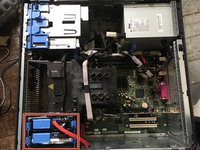
  1. Dell Optiplex GX620 Hard Drive, How to unplug and discharge before repair: passo 1, immagine 1 di 2 Dell Optiplex GX620 Hard Drive, How to unplug and discharge before repair: passo 1, immagine 2 di 2
    • Power down your PC and remove the power cord from the back.

    Chiedi a FixBot
  2. Dell Optiplex GX620 Hard Drive: passo 2, immagine 1 di 2 Dell Optiplex GX620 Hard Drive: passo 2, immagine 2 di 2
    • Press and hold the power button for about 10 seconds, then release.

    • This helps drain any remaining power stored in the capacitors, so that you can safely work on the internal components.

    Chiedi a FixBot
  3. Dell Optiplex GX620 Hard Drive, Dell Optiplex GX620 Side Panel Disassembly: passo 3, immagine 1 di 1
    • With the computer standing upright, firmly pull on the tab at the back of the computer.

    • When the side panel pops free, gently pull the panel away from the computer.

    • If you have trouble freeing the side panel from the case, you may need to pull the tab a bit harder.

    Chiedi a FixBot
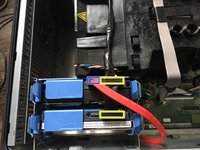
  4. Dell Optiplex GX620 Hard Drive, Disconnect hard drive.: passo 4, immagine 1 di 3 Dell Optiplex GX620 Hard Drive, Disconnect hard drive.: passo 4, immagine 2 di 3 Dell Optiplex GX620 Hard Drive, Disconnect hard drive.: passo 4, immagine 3 di 3
    • Remove the power and SATA data cables.

    • SATA power

    • SATA data

    Chiedi a FixBot
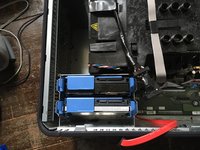
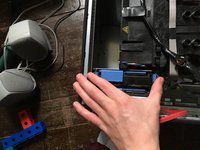
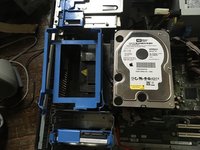
  5. Dell Optiplex GX620 Hard Drive, Take hard drive out of the slot.: passo 5, immagine 1 di 3 Dell Optiplex GX620 Hard Drive, Take hard drive out of the slot.: passo 5, immagine 2 di 3 Dell Optiplex GX620 Hard Drive, Take hard drive out of the slot.: passo 5, immagine 3 di 3
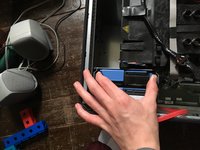
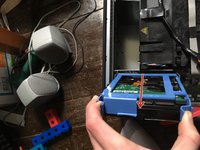
    • Pull the two tabs on the hard drive and pull up

    Chiedi a FixBot
  6. Dell Optiplex GX620 Hard Drive, Remove hard drive from slot enclosure.: passo 6, immagine 1 di 3 Dell Optiplex GX620 Hard Drive, Remove hard drive from slot enclosure.: passo 6, immagine 2 di 3 Dell Optiplex GX620 Hard Drive, Remove hard drive from slot enclosure.: passo 6, immagine 3 di 3
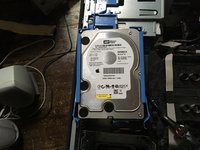
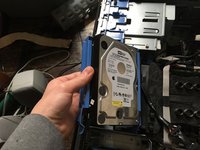
    • Now take the tray off of the hard drive.

    Chiedi a FixBot
Conclusione

To reassemble your device, follow these instructions in reverse order.

Altre 2 persone hanno completato questa guida.

0Commenti sulla guida

Aggiungi Commento

Visualizza Statistiche:

Ultime 24 Ore: 0

Ultimi 7 Giorni: 11

Ultimi 30 Giorni: 93

Tutti i Tempi: 2,904