Salta al contenuto principale
Unisciti alla Community delle riparazioni - Crea un account

Connect Four Electronic Handheld Buttons Replacement

Cosa ti serve

    1. Connect Four Electronic Handheld Buttons Replacement, Ensure the device is off.: passo 1, immagine 1 di 1
      • Make sure the Connect Four Electronic Handheld is off by allowing it to shut off automatically.

      Chiedi a FixBot

      Aggiungi Commento

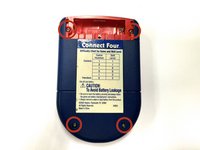
    2. Connect Four Electronic Handheld Buttons Replacement, Removing the battery casing.: passo 2, immagine 1 di 2 Connect Four Electronic Handheld Buttons Replacement, Removing the battery casing.: passo 2, immagine 2 di 2
      • Using a Phillips head screwdriver, remove the (9.1mm length) #2 screw in the middle of the battery casing.

      • Slide the cover off and remove the battery.

      Chiedi a FixBot

      Aggiungi Commento

    1. Connect Four Electronic Handheld Buttons Replacement, Removing/Replacing the Back Casing: passo 3, immagine 1 di 2 Connect Four Electronic Handheld Buttons Replacement, Removing/Replacing the Back Casing: passo 3, immagine 2 di 2
      • Using a Phillips head screwdriver, remove the four (7.1mm- length) #3 screws that hold the back casing in place.

      • Carefully remove the back casing.

      • When removing the back casing, make sure not to rupture the wires that connect the speaker to the circuit board.

      Chiedi a FixBot

      Aggiungi Commento

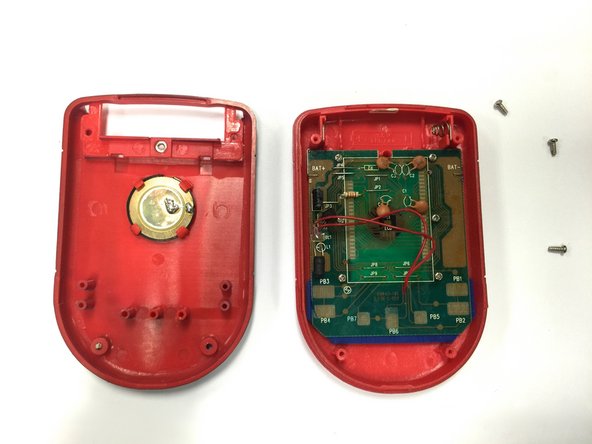
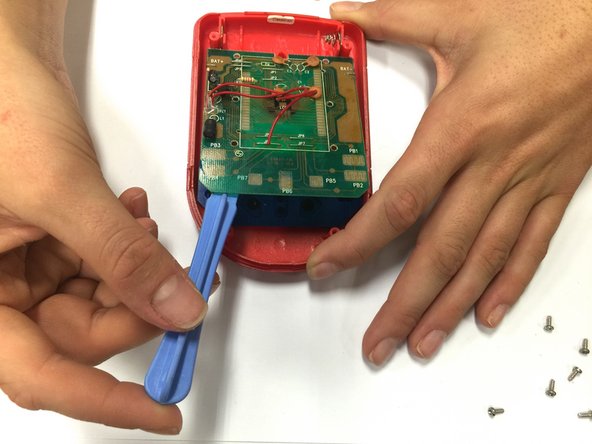
    1. Connect Four Electronic Handheld Buttons Replacement, Detaching the Circuit Board: passo 4, immagine 1 di 3 Connect Four Electronic Handheld Buttons Replacement, Detaching the Circuit Board: passo 4, immagine 2 di 3 Connect Four Electronic Handheld Buttons Replacement, Detaching the Circuit Board: passo 4, immagine 3 di 3
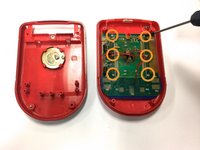
      • Using a Phillips head screwdriver, remove the six (0.25"-length) #3 screws that hold down the cpu board.

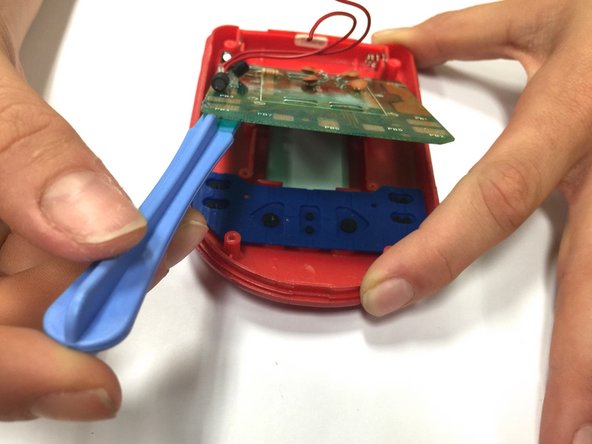
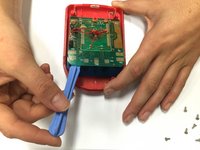
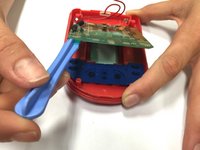
      • Using a spudger, lever the circuit board just enough to where you can easily access the button sheet.

      Chiedi a FixBot

      Aggiungi Commento

    2. Connect Four Electronic Handheld Buttons Replacement, Removing/ Replacing the Button Sheet: passo 5, immagine 1 di 1
      • Take out the button sheet, and replace it with a new one.

      Chiedi a FixBot

      Aggiungi Commento

Conclusione

To reassemble your device, follow these instructions in reverse order.

Annulla: non ho completato questa guida.

Un'altra persona ha completato questa guida.

Julia Wyder

Membro da: 10/22/14

110 Reputazione

Una guida realizzata

Team

Baylor, Team 8-11, Williams Fall 2014 Membro di Baylor, Team 8-11, Williams Fall 2014

BU-WILLIAMS-F14S8G11

3 Membri

36 guide realizzate

0Commenti sulla guida

Aggiungi Commento

Visualizza statistiche:

Ultime 24 ore: 0

Ultimi 7 giorni: 2

Ultimi 30 giorni: 25

Tutti i Tempi: 718