Salta al contenuto principale

Canon PowerShot SD400 Battery Replacement

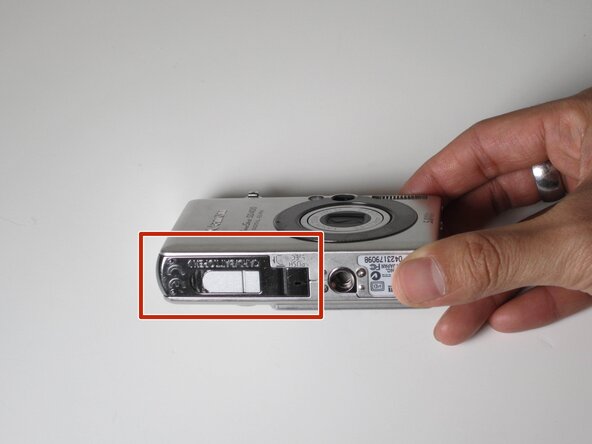
  1. Canon PowerShot SD400 Battery Replacement, Battery: passo 1, immagine 1 di 2 Canon PowerShot SD400 Battery Replacement, Battery: passo 1, immagine 2 di 2
    • Slide the battery cover open (indicated by the red box).

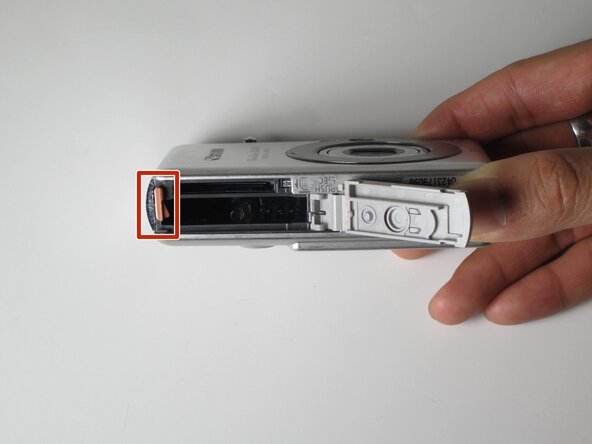
  2. Canon PowerShot SD400 Battery Replacement: passo 2, immagine 1 di 1
    • Push in the orange clip (indicated by the red box) to eject the battery.

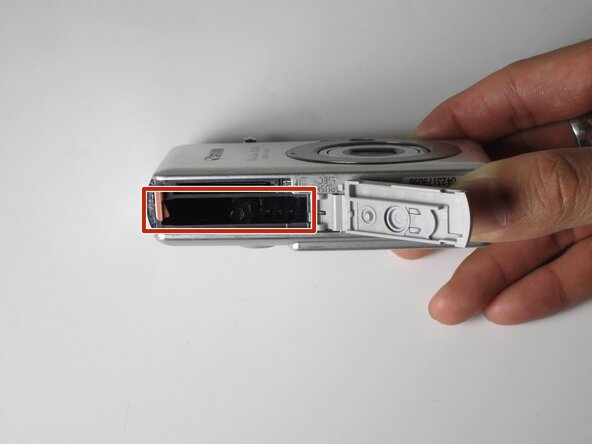
  3. Canon PowerShot SD400 Battery Replacement: passo 3, immagine 1 di 1
    • Insert the charged battery back into the slot (indicated by the red box).

    • Close the cover.

Conclusione

To reassemble your device, follow these instructions in reverse order.

Yi Huang Ke

Membro da: 10/18/11

51 Reputazione

4 Guide realizzate

Team

James Madison, Team 1-1, Allen Fall 2011 Membro di James Madison, Team 1-1, Allen Fall 2011

JMU-ALLEN-F11S1G1

4 Membri

4 Guide realizzate

0Commenti sulla guida

Aggiungi Commento

Visualizza Statistiche:

Ultime 24 Ore: 0

Ultimi 7 Giorni: 2

Ultimi 30 Giorni: 6

Tutti i Tempi: 1,989