Salta al contenuto principale
Unisciti alla Community delle riparazioni - Crea un account

Canon EOS Rebel XSi LCD Screen Replacement

Cosa ti serve

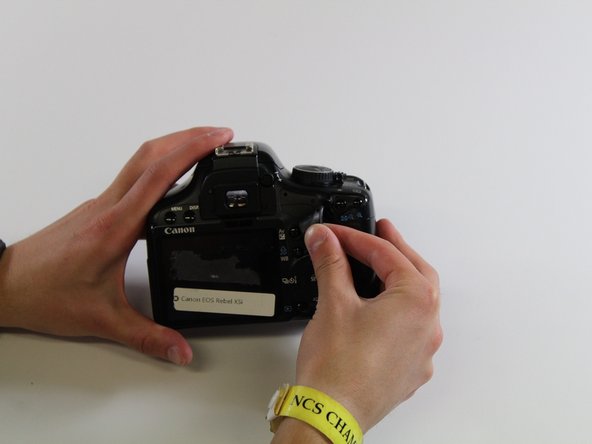
  1. Canon EOS Rebel XSi LCD Screen Replacement, Back Panel: passo 1, immagine 1 di 1
    • Squeeze the eyepiece between your index finger and thumb and lift up and off.

    Chiedi a FixBot

    Aggiungi Commento

  2. Canon EOS Rebel XSi LCD Screen Replacement: passo 2, immagine 1 di 1
    • Using the PH000 screwdriver head, remove the four 4 mm screws on the bottom of the camera.

    Chiedi a FixBot

    Aggiungi Commento

  3. Canon EOS Rebel XSi LCD Screen Replacement: passo 3, immagine 1 di 1
    • Using the PH000 screwdriver head, remove the two 3mm screws on the right side of the camera (from the LCD screen).

    Chiedi a FixBot

    Aggiungi Commento

  4. Canon EOS Rebel XSi LCD Screen Replacement: passo 4, immagine 1 di 1
    • Remove grip by slowly peeling off.

    Chiedi a FixBot

    Aggiungi Commento

  5. Canon EOS Rebel XSi LCD Screen Replacement: passo 5, immagine 1 di 1
    • Using the PH000 screwdriver, remove the four 4mm screws behind the eyepiece.

    Chiedi a FixBot

    Aggiungi Commento

  6. Canon EOS Rebel XSi LCD Screen Replacement: passo 6, immagine 1 di 1
    • Using the PH000 screwdriver head, remove one 4 mm screw on the left side of the camera (from the LCD screen).

    Chiedi a FixBot

    Aggiungi Commento

  7. Canon EOS Rebel XSi LCD Screen Replacement: passo 7, immagine 1 di 1
    • Remove the side panel by lifting off with fingers.

    Chiedi a FixBot

    Aggiungi Commento

  8. Canon EOS Rebel XSi LCD Screen Replacement: passo 8, immagine 1 di 1
    • Use hands to pry off the back panel.

    Chiedi a FixBot

    Aggiungi Commento

  9. Canon EOS Rebel XSi LCD Screen Replacement, LCD Screen: passo 9, immagine 1 di 1
    • Using the PH00 screwdriver head, unscrew four 4 mm screws and one 2 mm screw

    Chiedi a FixBot

    Aggiungi Commento

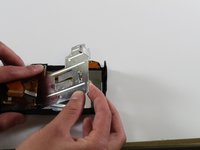
  10. Canon EOS Rebel XSi LCD Screen Replacement: passo 10, immagine 1 di 2 Canon EOS Rebel XSi LCD Screen Replacement: passo 10, immagine 2 di 2
    • Remove the metal plate covering inside of the LCD screen

    Chiedi a FixBot

    Aggiungi Commento

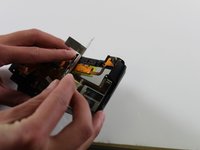
  11. Canon EOS Rebel XSi LCD Screen Replacement: passo 11, immagine 1 di 1
    • Carefully disconnect the circuitry sheets from the white plastic bases

    Chiedi a FixBot

    Aggiungi Commento

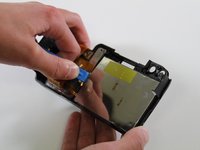
  12. Canon EOS Rebel XSi LCD Screen Replacement: passo 12, immagine 1 di 2 Canon EOS Rebel XSi LCD Screen Replacement: passo 12, immagine 2 di 2
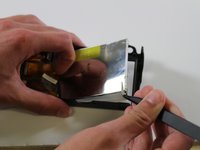
    • Using the plastic spudger, carefully pry out the LCD screen from the back panel

    Chiedi a FixBot

    Aggiungi Commento

Conclusione

To reassemble your device, follow these instructions in reverse order.

Annulla: non ho completato questa guida.

Erik Mork

Membro da: 01/27/17

617 Reputazione

5 guide realizzate

Team

Cal Poly, Team 22-10, Maness Winter 2017 Membro di Cal Poly, Team 22-10, Maness Winter 2017

CPSU-MANESS-W17S22G10

4 Membri

10 guide realizzate

0Commenti sulla guida

Aggiungi Commento

Visualizza statistiche:

Ultime 24 ore: 1

Ultimi 7 giorni: 4

Ultimi 30 giorni: 42

Tutti i Tempi: 2,314