Salta al contenuto principale

Canon EOS 70D Front Cover Replacement

Cosa ti serve

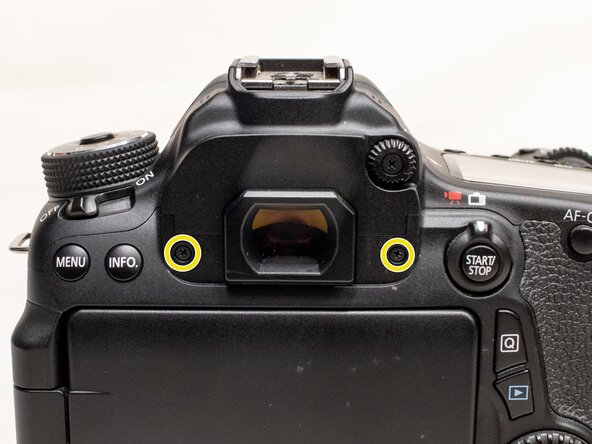
  1. Canon EOS 70D Front Cover Replacement, Interface Cover: passo 1, immagine 1 di 2 Canon EOS 70D Front Cover Replacement, Interface Cover: passo 1, immagine 2 di 2
    • Before beginning, remove the battery and SD card from the camera.

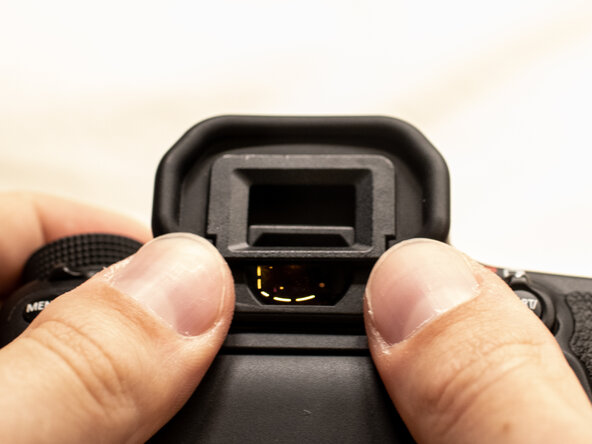
    • Using your thumbs, push up on the eyepiece to remove it.

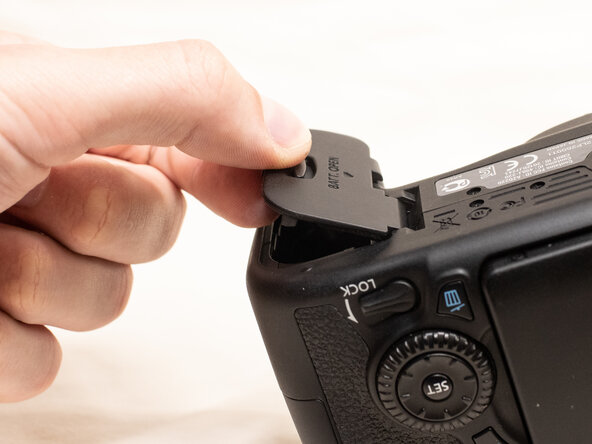
    • Remove the battery door.

    • Open the battery door to about a 35° angle.

    • Pull the battery door straight outwards.

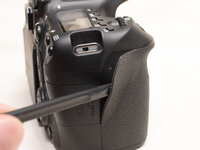
  2. Canon EOS 70D Front Cover Replacement: passo 2, immagine 1 di 3 Canon EOS 70D Front Cover Replacement: passo 2, immagine 2 di 3 Canon EOS 70D Front Cover Replacement: passo 2, immagine 3 di 3
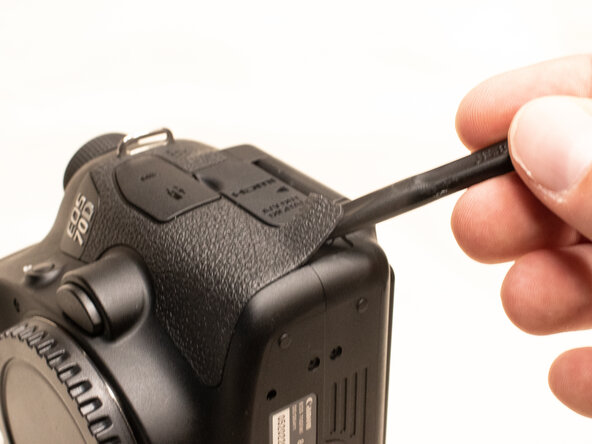
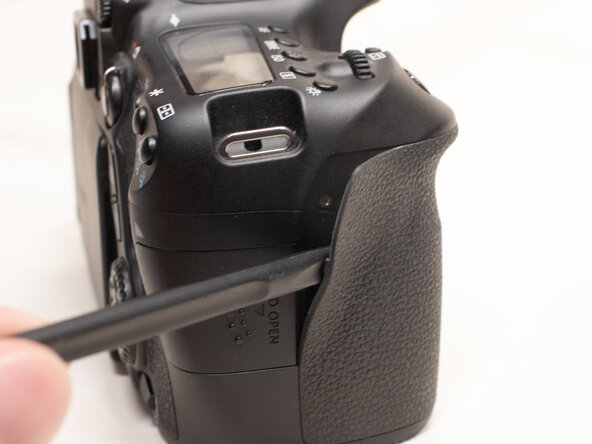
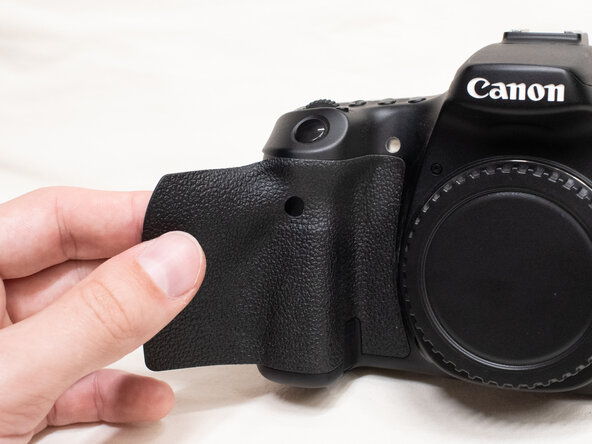
    • Using a plastic spudger tool, peel off the rubber grip on the left side of the camera.

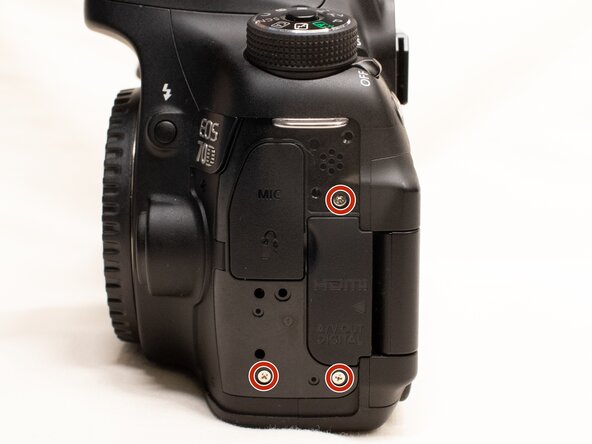
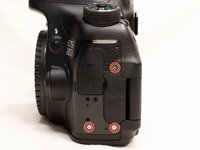
    • Underneath where the rubber grip was, remove the following screws:

    • Three M1.7x5.5mm Phillips #000 screws

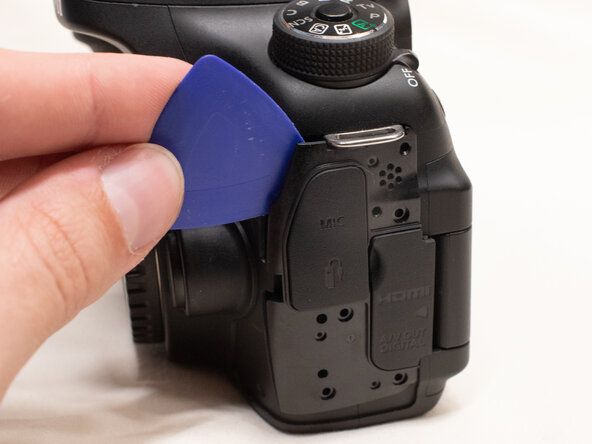
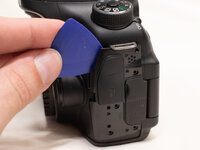
    • Pry off the plastic interface cover.

    • Use a plastic opening tool if a fingernail doesn't work.

  3. Canon EOS 70D Front Cover Replacement, Back Cover: passo 3, immagine 1 di 3 Canon EOS 70D Front Cover Replacement, Back Cover: passo 3, immagine 2 di 3 Canon EOS 70D Front Cover Replacement, Back Cover: passo 3, immagine 3 di 3
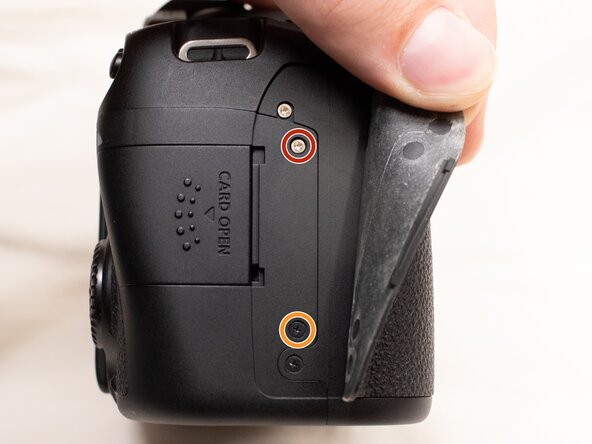
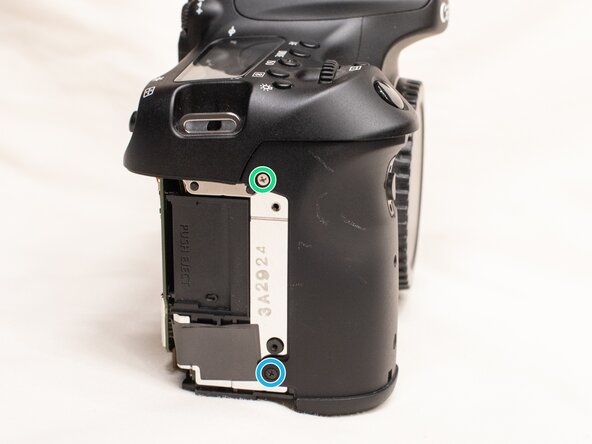
    • Using the plastic spudger tool, peel back the rubber grip on the right side of the camera to expose the screws.

    • Remove the following screws underneath the right rubber grip:

    • One M1.7x3.0mm JIS #000 screw

    • One M1.7x3.5mm JIS #000 screw

    • On the back of the camera, remove the following screws:

    • Two M1.7x5.5mm JIS #000 screws

  4. Canon EOS 70D Front Cover Replacement: passo 4, immagine 1 di 3 Canon EOS 70D Front Cover Replacement: passo 4, immagine 2 di 3 Canon EOS 70D Front Cover Replacement: passo 4, immagine 3 di 3
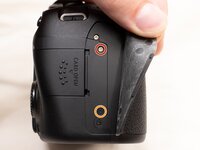
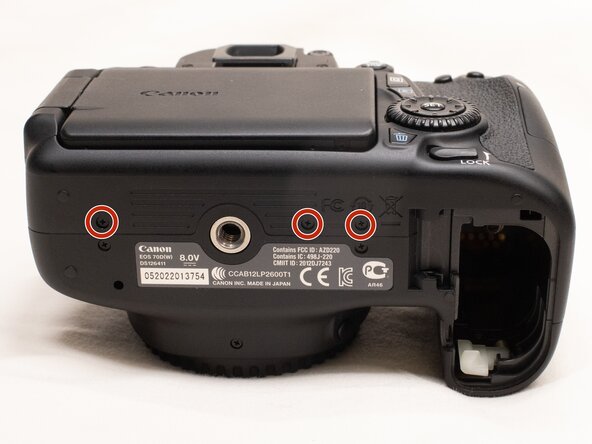
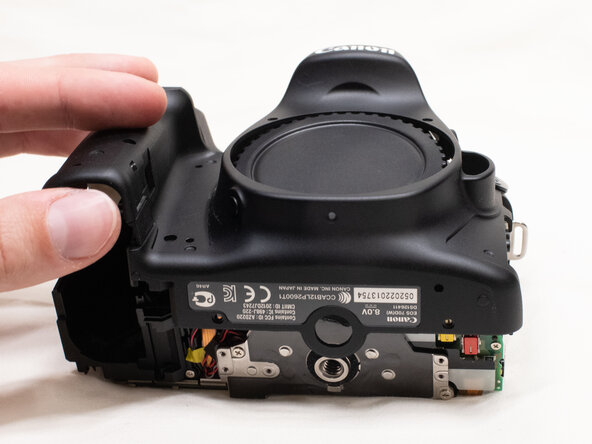
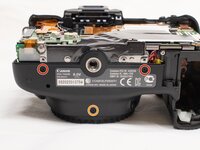
    • On the bottom of the camera, remove the following screws:

    • Three M1.7x3.0mm JIS #000 screws

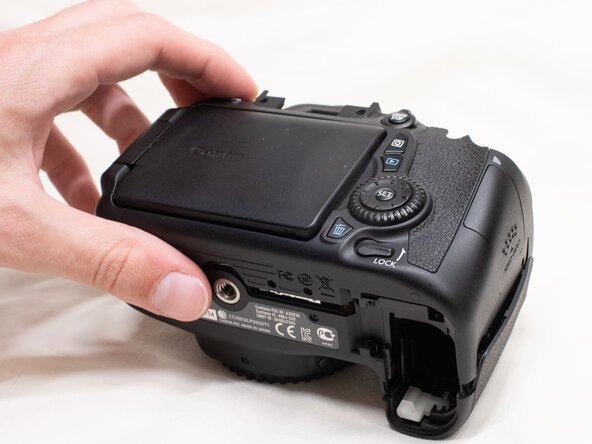
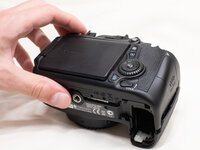
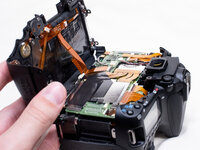
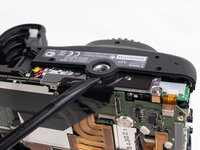
    • Slightly lift up the back cover from the camera, using a plastic spudger or opening tool as needed.

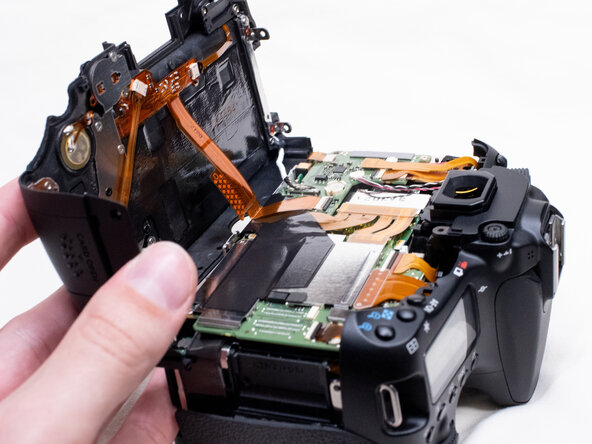
    • Be very careful when lifting the back cover up, there are still two fragile cables attached to it.

    • You can lift the back cover towards the bottom of the camera to get better access to remove the cables.

  5. Canon EOS 70D Front Cover Replacement: passo 5, immagine 1 di 3 Canon EOS 70D Front Cover Replacement: passo 5, immagine 2 di 3 Canon EOS 70D Front Cover Replacement: passo 5, immagine 3 di 3
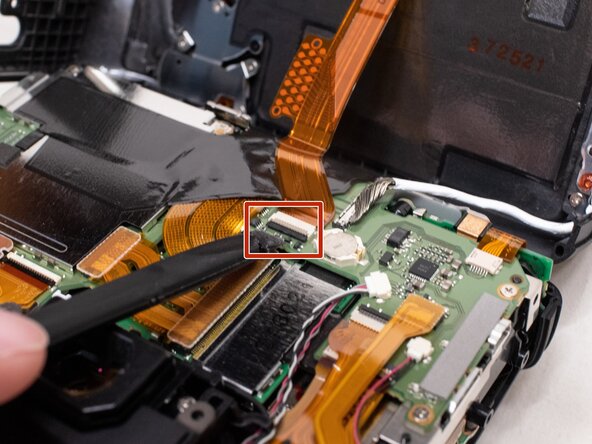
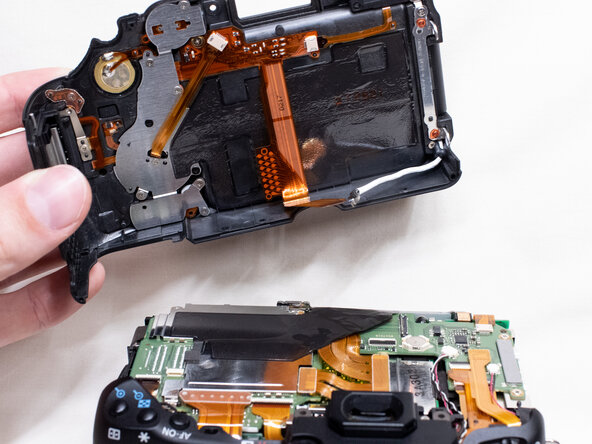
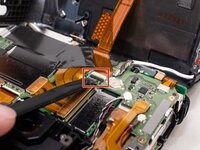
    • With a plastic spudger tool, gently lift up on the black locking tab on the ribbon cable connector.

    • Once the locking tab is lifted up, you can carefully pull out the ribbon cable.

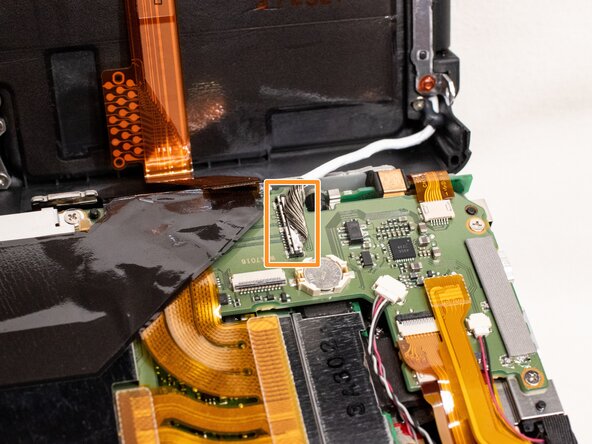
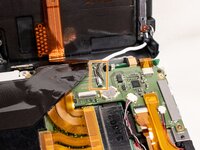
    • Use the plastic spudger to gently pry off the other cable connecting the back cover to the camera.

    • The connector tab sticks out slightly on each end of the connector, which gives you a good spot to pry the connector off.

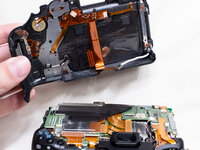
    • With both of the cables disconnected, you can finish lifting off the back cover from the camera.

  6. Canon EOS 70D Front Cover Replacement, Front Cover: passo 6, immagine 1 di 3 Canon EOS 70D Front Cover Replacement, Front Cover: passo 6, immagine 2 di 3 Canon EOS 70D Front Cover Replacement, Front Cover: passo 6, immagine 3 di 3
    • Peel the right rubber grip off the rest of the way.

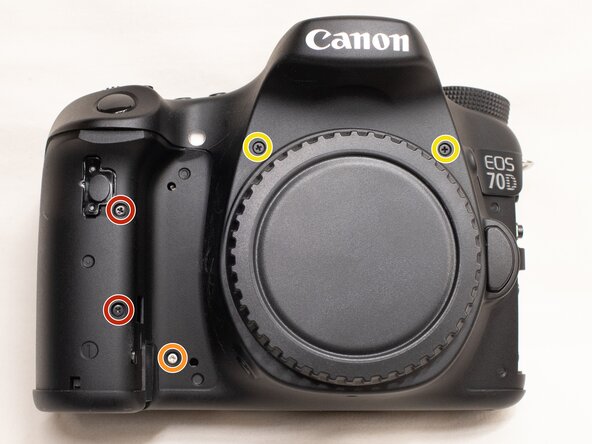
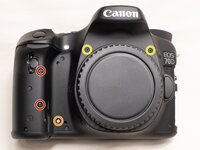
    • On the front of the camera, remove the following screws:

    • Two M1.7x5.0mm Phillips #000 screws

    • One M1.7x4.5mm Phillips #000 screw

    • Two M1.7x6.0mm JIS #000 screws

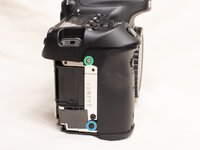
    • On the right side of the camera, remove the following screws:

    • One M1.7x3.0mm JIS #000 screw

    • One M1.7x3.5mm JIS #000 screw

  7. Canon EOS 70D Front Cover Replacement: passo 7, immagine 1 di 3 Canon EOS 70D Front Cover Replacement: passo 7, immagine 2 di 3 Canon EOS 70D Front Cover Replacement: passo 7, immagine 3 di 3
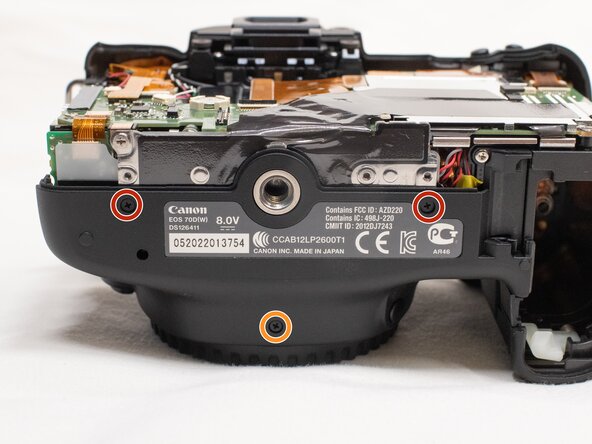
    • On the bottom of the camera, remove the following screws:

    • Two M1.7x3.0 JIS #000 screws

    • One M1.7x4.5mm JIS #000 screw

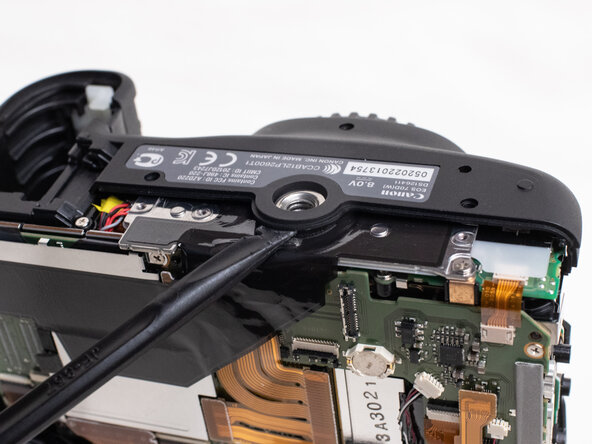
    • Use a plastic spudger to pry up on the bottom of the front cover and lift it over the tripod socket.

    • Pull the front cover off the camera body.

    • Electric Shock Warning: With the front cover off, the high voltage capacitor on the DC PCB board is now exposed. It is recommended that you use a capacitor discharge tool to ensure the capacitor is fully discharged before proceeding further.

Conclusione

To reassemble your device, follow these instructions in reverse order.

Documenti Allegati

Zephosk

Membro da: 09/26/24

5.457 Reputazione

34 Guide realizzate

0Commenti sulla guida

Aggiungi Commento

Visualizza Statistiche:

Ultime 24 Ore: 0

Ultimi 7 Giorni: 1

Ultimi 30 Giorni: 9

Tutti i Tempi: 84