Salta al contenuto principale
Unisciti alla Community delle riparazioni - Crea un account

CASIO fx-50FH II Scientific Calculator Battery Replacement

Cosa ti serve

  1. CASIO fx-50FH II Scientific Calculator Battery Replacement, Battery: passo 1, immagine 1 di 1
    • To turn the calculator off, first press the "shift" button.

    • Release the "shift" button, then press the "AC" button.

    Chiedi a FixBot

    Aggiungi Commento

  2. CASIO fx-50FH II Scientific Calculator Battery Replacement: passo 2, immagine 1 di 2 CASIO fx-50FH II Scientific Calculator Battery Replacement: passo 2, immagine 2 di 2
    • Place the calculator face down, then use a Phillips #00 screwdriver to remove the single screw securing the battery hatch in the top right corner.

    Chiedi a FixBot

    Aggiungi Commento

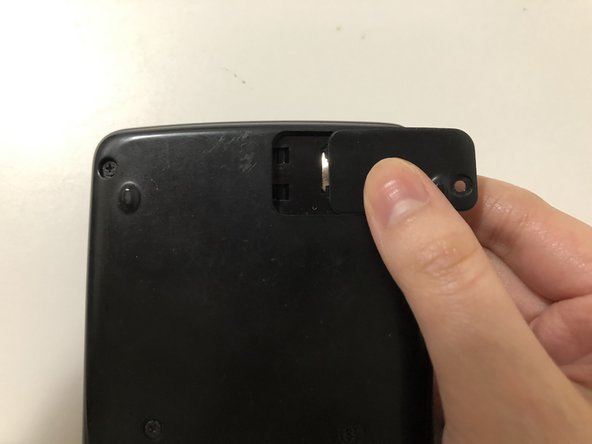
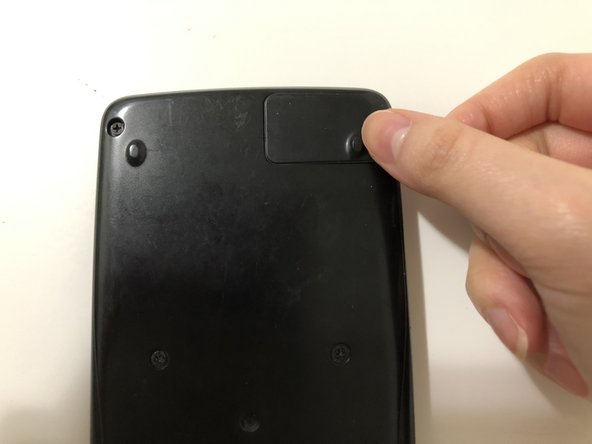
  3. CASIO fx-50FH II Scientific Calculator Battery Replacement: passo 3, immagine 1 di 3 CASIO fx-50FH II Scientific Calculator Battery Replacement: passo 3, immagine 2 di 3 CASIO fx-50FH II Scientific Calculator Battery Replacement: passo 3, immagine 3 di 3
    • Push the battery hatch to the right until it slides off.

    Chiedi a FixBot

    Aggiungi Commento

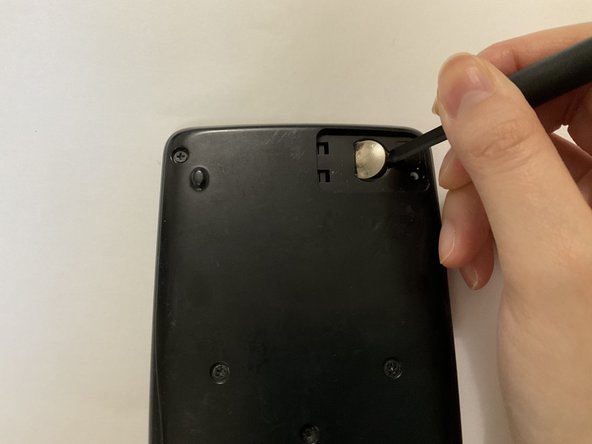
  4. CASIO fx-50FH II Scientific Calculator Battery Replacement: passo 4, immagine 1 di 3 CASIO fx-50FH II Scientific Calculator Battery Replacement: passo 4, immagine 2 di 3 CASIO fx-50FH II Scientific Calculator Battery Replacement: passo 4, immagine 3 di 3
    • Put on a pair of protective gloves before handling the battery to eliminate the risk of chemical burns.

    • Insert the tip of a spudger into the indent on the right-hand side of the battery to lift the edge of the battery up.

    • Lift the battery up and out.

    Chiedi a FixBot

    Aggiungi Commento

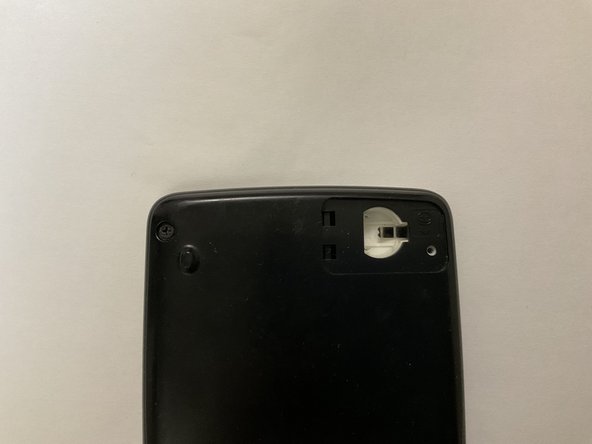
  5. CASIO fx-50FH II Scientific Calculator Battery Replacement: passo 5, immagine 1 di 1
    • Inspect the battery compartment any alkaline residue.

    • If no residue is present, skip to Step 7.

    Chiedi a FixBot

    Aggiungi Commento

  6. CASIO fx-50FH II Scientific Calculator Battery Replacement: passo 6, immagine 1 di 3 CASIO fx-50FH II Scientific Calculator Battery Replacement: passo 6, immagine 2 di 3 CASIO fx-50FH II Scientific Calculator Battery Replacement: passo 6, immagine 3 di 3
    • Use a cotton swab dabbed with white vinegar to wipe the alkaline off the battery compartment.

    • Use a dry cotton swab to remove the vinegar and alkaline residues.

    • Let the battery compartment dry completely.

    Chiedi a FixBot

    Aggiungi Commento

  7. CASIO fx-50FH II Scientific Calculator Battery Replacement: passo 7, immagine 1 di 1
    • Insert a new LR44 1.5V alkaline button battery into the compartment, with the positive sign facing up.

    Chiedi a FixBot

    Aggiungi Commento

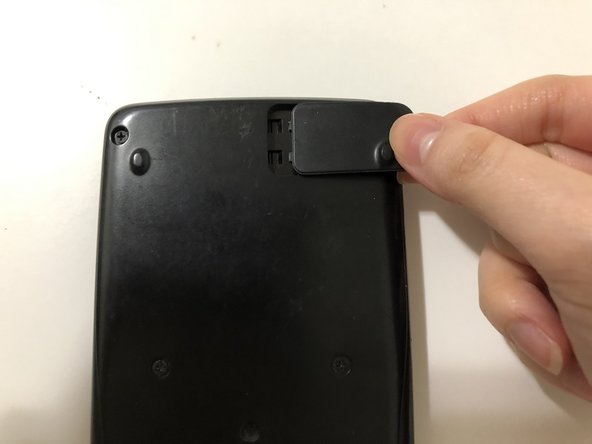
  8. CASIO fx-50FH II Scientific Calculator Battery Replacement: passo 8, immagine 1 di 3 CASIO fx-50FH II Scientific Calculator Battery Replacement: passo 8, immagine 2 di 3 CASIO fx-50FH II Scientific Calculator Battery Replacement: passo 8, immagine 3 di 3
    • Reattach the battery hatch by sliding the hatch in from the right to the left.

    Chiedi a FixBot

    Aggiungi Commento

  9. CASIO fx-50FH II Scientific Calculator Battery Replacement: passo 9, immagine 1 di 1
    • Use a Phillips #00 to secure the screw.

    Chiedi a FixBot

    Aggiungi Commento

Conclusione

You have successfully replaced the battery of  a CASIO fx-50FH II Scientific Calculator!

Annulla: non ho completato questa guida.

Altre 2 persone hanno completato questa guida.

Cheuk Wai Chan

Membro da: 07/05/22

223 Reputazione

Una guida realizzata

Team

York University, Team M-4, Allen Summer 2022 Membro di York University, Team M-4, Allen Summer 2022

YORK-ALLEN-SU22SMG4

Membro di 1

3 guide realizzate

2Commenti sulla guida

Very nice guide! I found the pictures to be very good and corresponding to the steps very well.

Frank Loi - Rispondi Condividi

Thank you for the steps. I followed the steps and managed to salvage my calculator which I almost had to throw away. This has helped reduce waste. :)

Nancy Yeo - Rispondi Condividi

Aggiungi Commento

Visualizza statistiche:

Ultime 24 ore: 1

Ultimi 7 giorni: 59

Ultimi 30 giorni: 251

Tutti i Tempi: 7,355