Introduzione
This guide will be showing you how to replace the LCD screen on a Brother CS6000i sewing machine. The LCD screen helps the user identify what sewing mode and speed they are working with. Some common symptoms particularly related to a faulty LCD screen would be faulty diodes or a blank screen while the machine is in operation.
Before beginning make sure power is disconnected and needle is removed from machine to prevent injury from electrical shock and or sharp objects.
Cosa ti serve
-
-
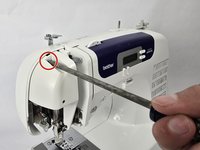
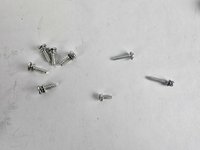
Remove the five 20 mm Phillips #2 screws on the back of the device.
-
Remove the single 28 mm Phillips #2 screw on the back of the device.
-
Remove the single 23 mm Phillips #2 screw on the back of the device.
-
-
-
-
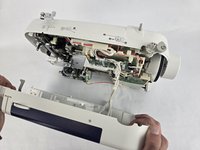
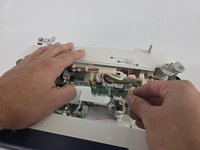
Remove the two 10 mm Philips #2 screws that secure the screen.
-
Unplug the ribbon cable located at the top of the circuit board, then gently remove the LCD screen.
-




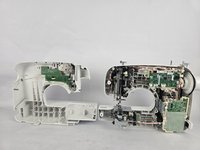

To reassemble your device, follow these instructions in reverse order.
Annulla: non ho completato questa guida.
Un'altra persona ha completato questa guida.


Team

Cuesta, Team 20-1, Krynen Fall 2024 Membro di Cuesta, Team 20-1, Krynen Fall 2024
CUESTA-KRYNEN-F24S20G1
5 Membri
8 Guide realizzate
