Salta al contenuto principale
Unisciti alla Community delle riparazioni - Crea un account

Azpen A701 Screen Replacement

Cosa ti serve

  1. Azpen A701 Screen Replacement, General Disassembly Prerequisite Guide: passo 1, immagine 1 di 1
    • Remove the two 2cm screws on the bottom using the PH0 Phillips head screw driver.

  2. Azpen A701 Screen Replacement: passo 2, immagine 1 di 2 Azpen A701 Screen Replacement: passo 2, immagine 2 di 2
    • Pry open the back piece with the plastic spudger.

    • Remove the back piece from the device.

    • The back panel may be difficult to pry off, use gentle force.

  3. Azpen A701 Screen Replacement: passo 3, immagine 1 di 1
    • Disconnect speaker (which is attached by black and red wires) from back piece using plastic spudger.

  4. Azpen A701 Screen Replacement: passo 4, immagine 1 di 1
    • Gently pry the battery off of the device with the plastic spudger.

    • There is a large amount of glue holding the battery to the device.

    • Do not puncture the battery with the plastic spudger.

  5. Azpen A701 Screen Replacement, Screen: passo 5, immagine 1 di 3 Azpen A701 Screen Replacement, Screen: passo 5, immagine 2 di 3 Azpen A701 Screen Replacement, Screen: passo 5, immagine 3 di 3
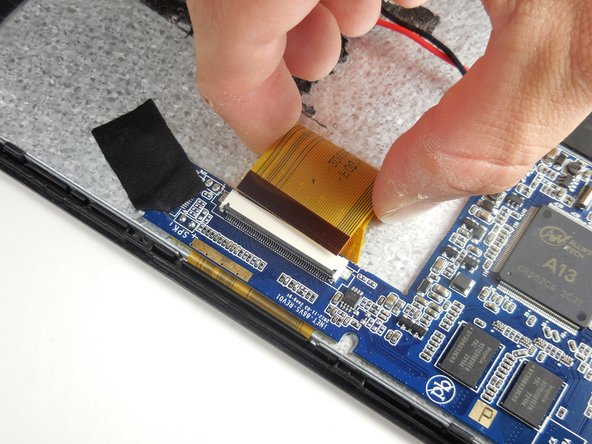
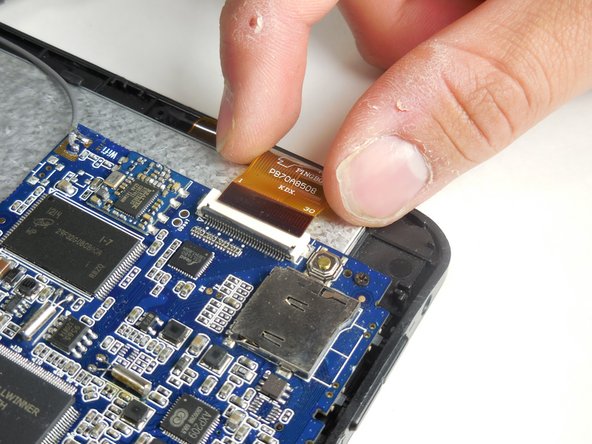
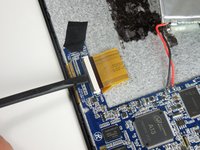
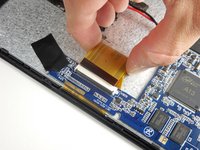
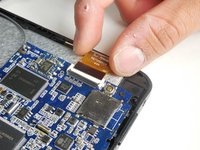
    • Disconnect the two largest (of the three) ZIF cables by prying open the flap with a plastic spudger to gently remove them.

  6. Azpen A701 Screen Replacement: passo 6, immagine 1 di 1
    • Peel off the black tape from the corner of the motherboard (indicated by the blue surface of the device).

  7. Azpen A701 Screen Replacement: passo 7, immagine 1 di 3 Azpen A701 Screen Replacement: passo 7, immagine 2 di 3 Azpen A701 Screen Replacement: passo 7, immagine 3 di 3
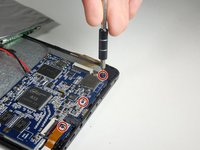
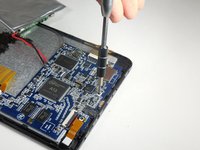
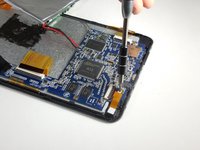
    • Use a Phillips #000 screwdriver to remove the three screws that connect the motherboard to the front panel.

    • When removing the motherboard, be cautious of the gray wire connected from the motherboard to the actual device.

  8. Azpen A701 Screen Replacement: passo 8, immagine 1 di 1
    • Remove the motherboard and the battery and set aside.

  9. Azpen A701 Screen Replacement: passo 9, immagine 1 di 3 Azpen A701 Screen Replacement: passo 9, immagine 2 di 3 Azpen A701 Screen Replacement: passo 9, immagine 3 di 3
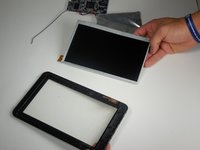
    • Remove the small orange tape attached with a gray wire from the top corner of the device. This is the antenna.

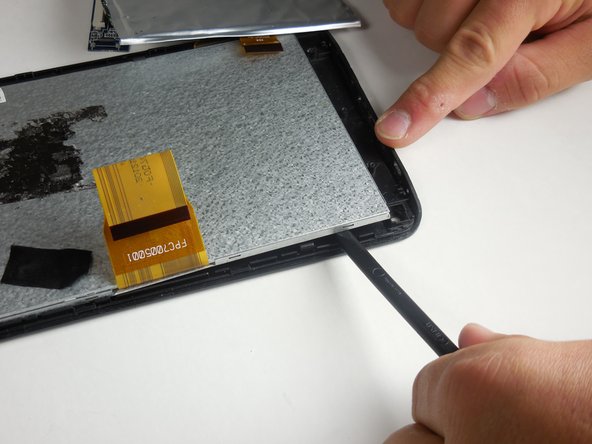
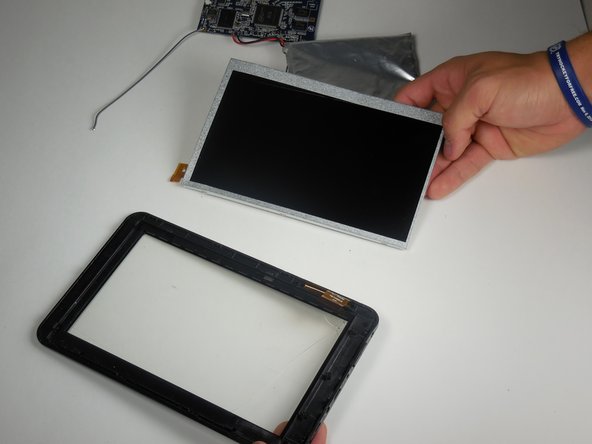
    • Use a plastic spudger around the silver lining within the device to pry the screen off.

    • The metal screen assembly is two pieces. When removing the screen, make sure to pry off both pieces at once.

  10. Azpen A701 Screen Replacement: passo 10, immagine 1 di 1
    • Replace the broken screen and reverse the steps to re-assemble the device.

Conclusione

To reassemble your device, follow these instructions in reverse order.

Un'altra persona ha completato questa guida.

Michael

Membro da: 03/11/15

568 Reputazione

4 Guide realizzate

Team

0Commenti sulla guida

Aggiungi Commento

Visualizza Statistiche:

Ultime 24 Ore: 0

Ultimi 7 Giorni: 2

Ultimi 30 Giorni: 15

Tutti i Tempi: 722